Incoming moment
Use cases · Hair, beauty, and wellness
Keep booking calls moving while the team is with guests
An hiify.ai agent can answer menu and policy questions from your sources, collect service preferences, and book through a connected scheduling provider.
From first hello to handoff
The whole conversation, made explicit.
Each part is visible in the builder. You decide what the agent asks, which source it trusts, what connected action it can take, and when a person takes over.
What the agent understands
- The requested service, preferred time, and contact details
- Menu, pricing, preparation, and cancellation information in your sources
- Whether the caller wants a new booking or help with an existing one
What it can do
- Search the approved service menu
- Offer and book returned appointment slots
- Update supported bookings or take a message
Human handoff
Requests that need stylist judgment, a provider-specific change, or a person follow the transfer or message path you configure.
Operational change
What the team gets after the call
Not a promise of automatic outcomes. A clearer path from an incoming request to the next accountable step.
- 1
More time with guests
Routine phone questions and booking requests can follow a defined flow without pulling staff away.
- 2
Accurate menu answers
The agent searches the services, prices, and policies the business supplies.
- 3
Provider-aware booking
Availability and booking actions depend on the connected provider’s supported capabilities.
Example flows
Two ways a salons & spas call can move
These are grounded examples, not live simulations. Each step maps to a builder block you can configure, connect, and publish.
New service booking
A guest asks which service to choose and whether Saturday is available.
Understand
The agent explains supplied menu information and collects the service and time preference.
Act
It checks the connected calendar and books a returned slot after confirmation.
Hand over
Questions that need a stylist are captured for a callback or transferred.
- Choose a service
- Search the menu
- Book a returned slot
- Save guest details
Change an appointment
A guest needs to move an existing booking.
Understand
The agent collects the booking email and preferred new time.
Act
If the provider supports lookup and rescheduling, it confirms and makes the change.
Hand over
Otherwise, it records a complete message for the front desk.
- Collect booking details
- Check support
- Reschedule or message
- Notify staff
Inside the product
A workflow your team can inspect.
The product builder combines menu knowledge, service selection, supported scheduling actions, and fallback messages.
hiify.ai · example workflow
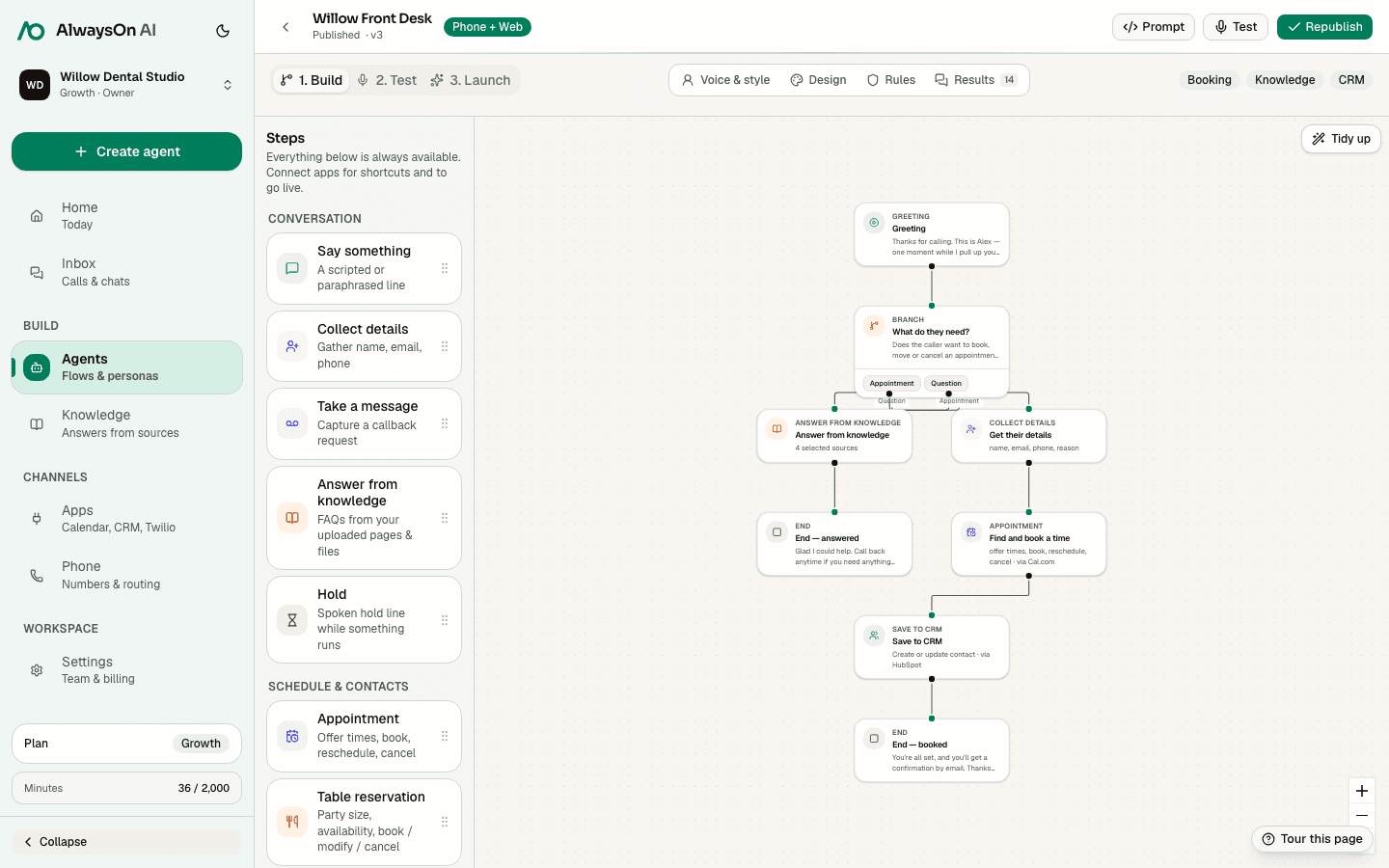
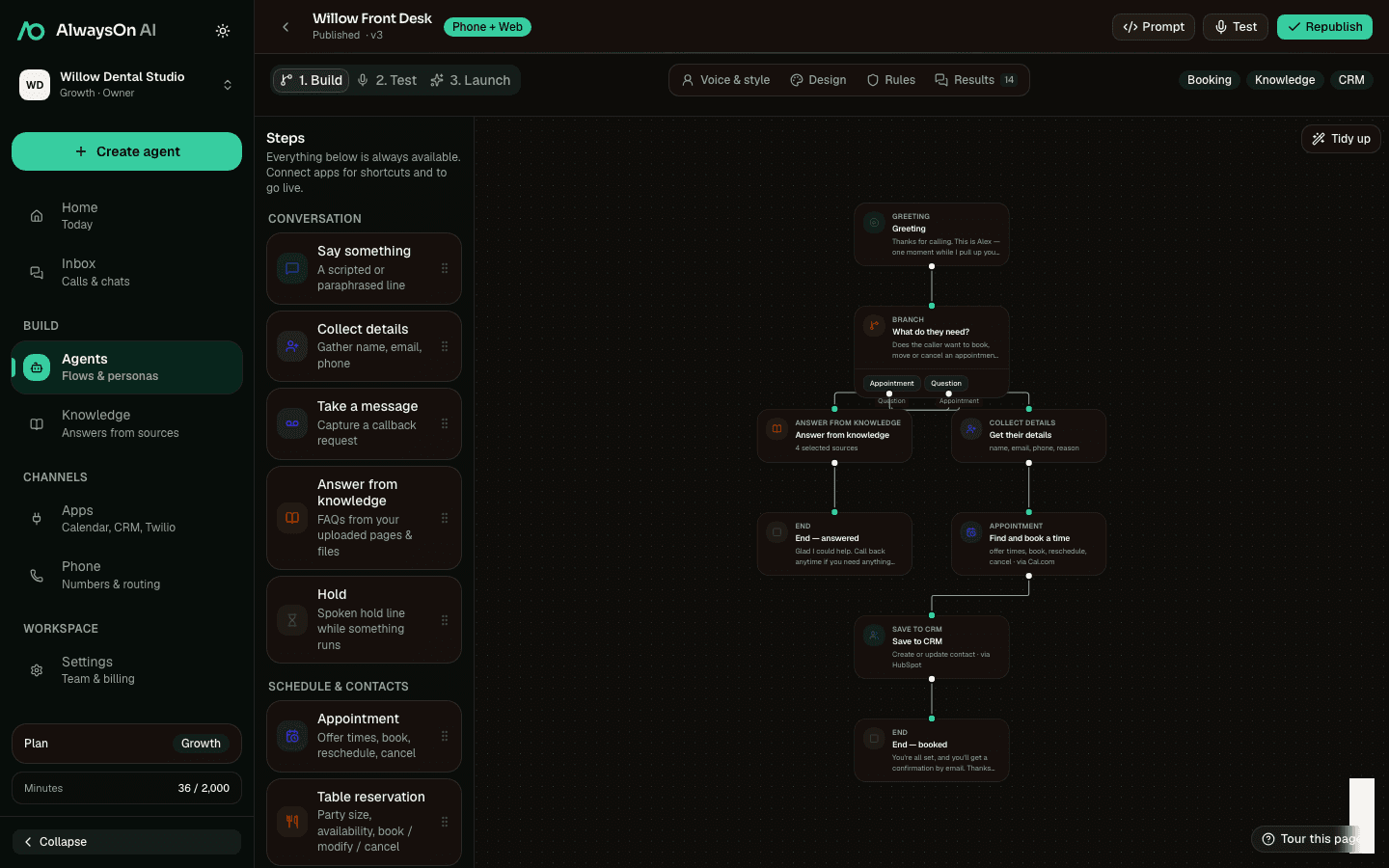
One buildable path · New service booking
- AskChoose a service
- KnowledgeSearch the menu
- AppointmentBook a returned slot
- CRMSave guest details
Supported tools
Connect the step to the system that owns it
A practical starting set for salons & spas workflows. Connect only the apps your team uses.
 SimplyBook.meServices and supported booking
 SetmoreAvailability and supported booking
 AcuityAvailability and booking
 TwilioPhone numbers and configured SMS
 SlackConfigured team notification
 HubSpotCRM contact and call context
Availability, booking, lookup, changes, cancellation, and waitlist support vary by provider. hiify.ai exposes only the actions supported by the connected provider and enabled in the published flow.
Browse integrationsRelated industries
All use casesSame building blocks, different incoming moments
Build a salons & spas workflow
Start with the incoming moment, add approved knowledge and supported actions, then define the human handoff.