Design the call.
hiify answers it.
A visual builder for inbound voice agents. Lay out what the agent asks, which sources it may quote, which calendar it books and when a person takes over. Test it on your site, then connect the Twilio number you already have.
14-day trial · No card required
Books, writes and hands off in the tools you already run
 Twilio
 Google Calendar
 Cal.com
 HubSpot
 Salesforce
 Acuity
 Cliniko
 Pipedrive
 Slack
Slack Setmore
 SimplyBook.me
 Topmate
Six screens. In the order you would train a new receptionist.
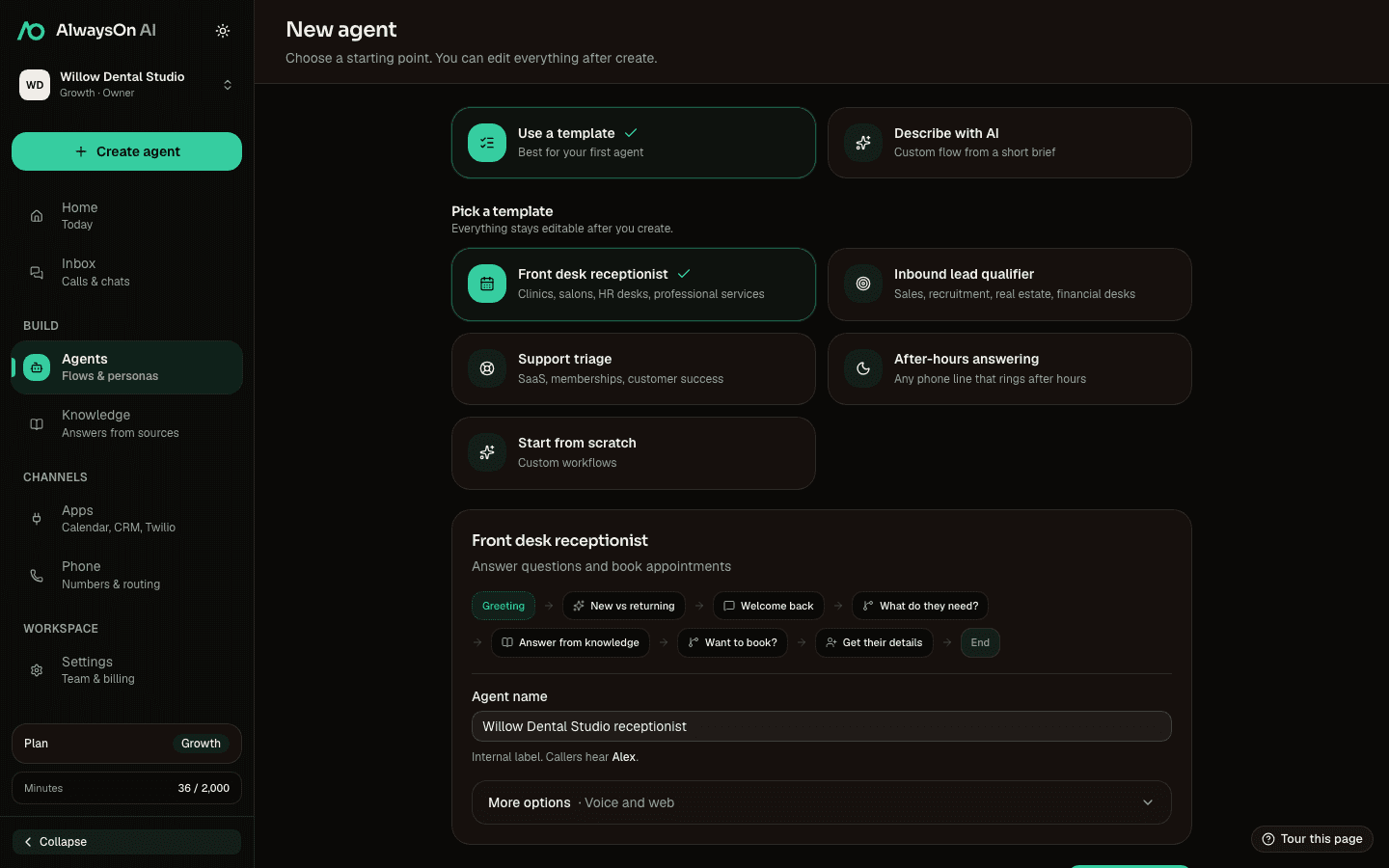
- 1Create
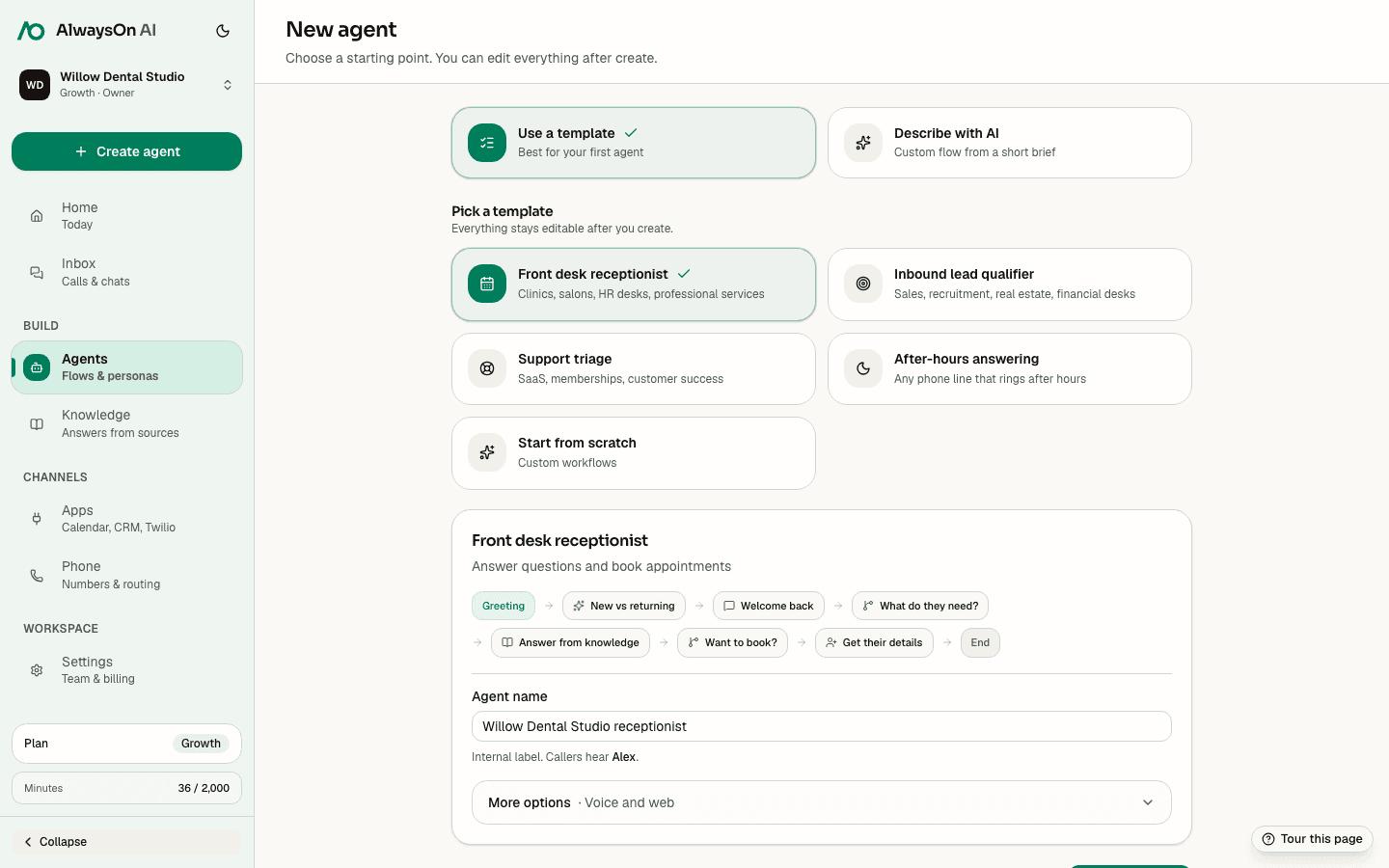
Start with a template or a plain-language brief.
Choose a proven starting point, open a blank canvas, or describe the job and generate an editable flow.
- 2Shape
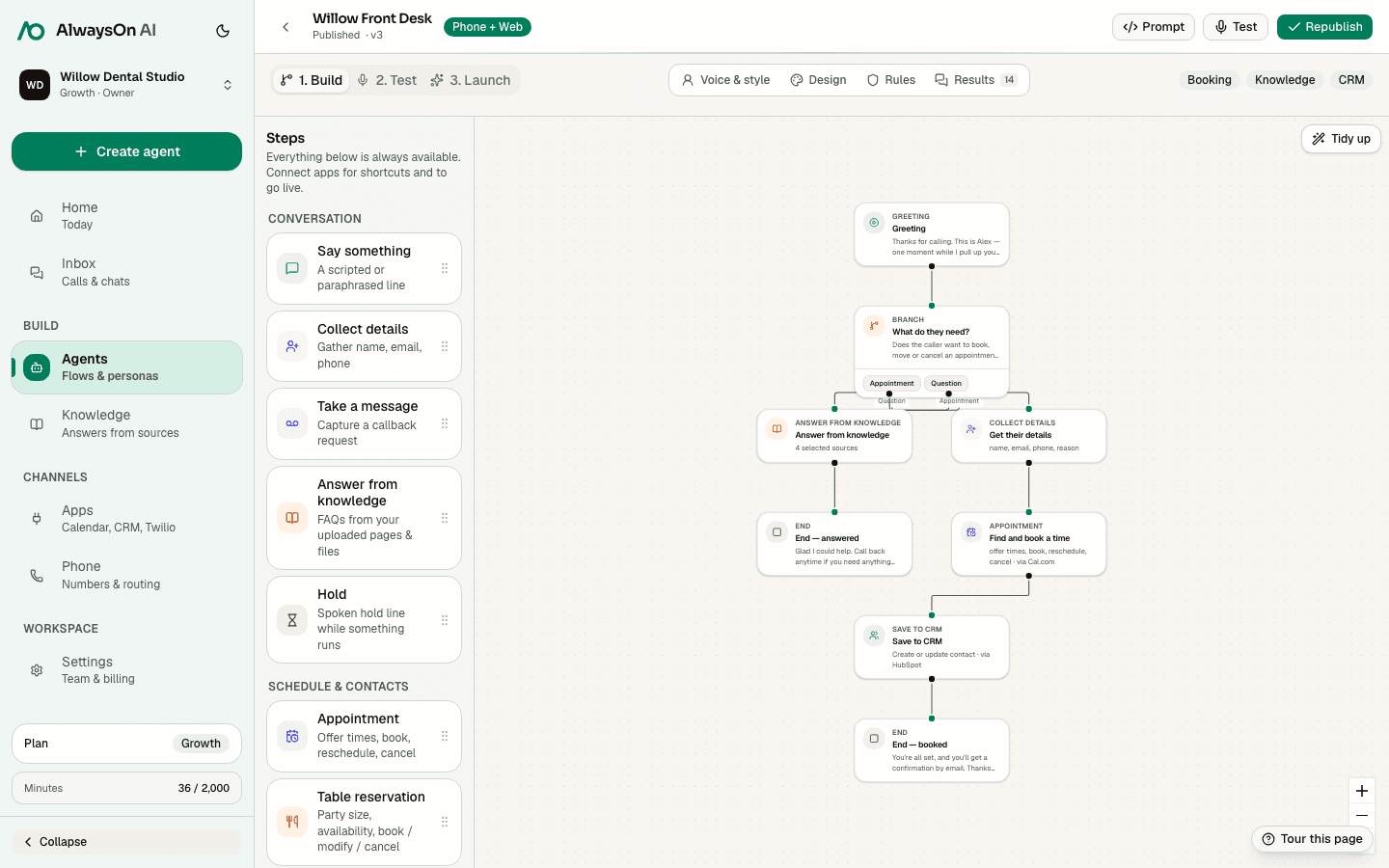
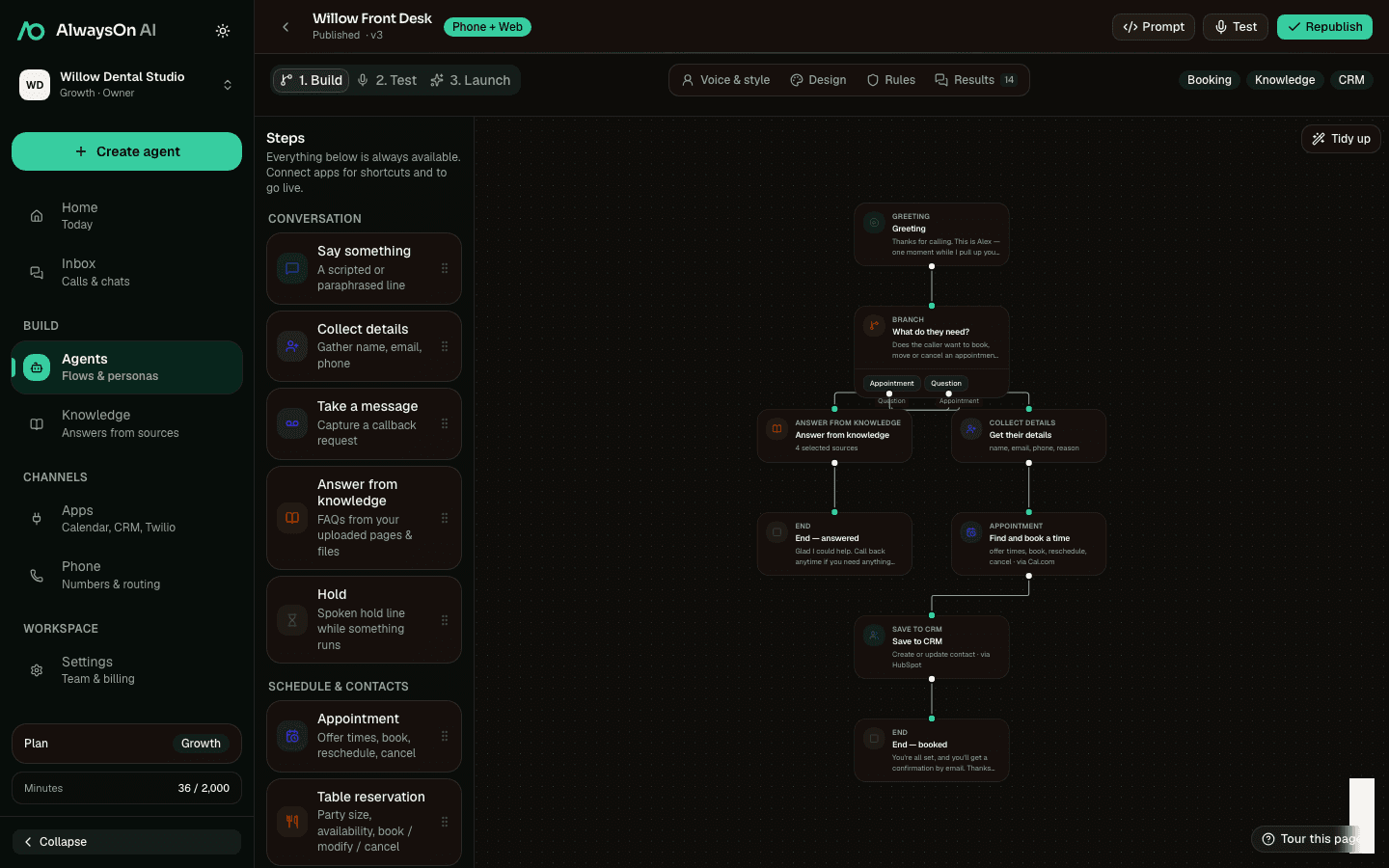
Put each part of the conversation on the canvas.
Add questions, decisions, knowledge, bookings, actions, messages, and human handoffs in the order callers need them.
- 3Teach
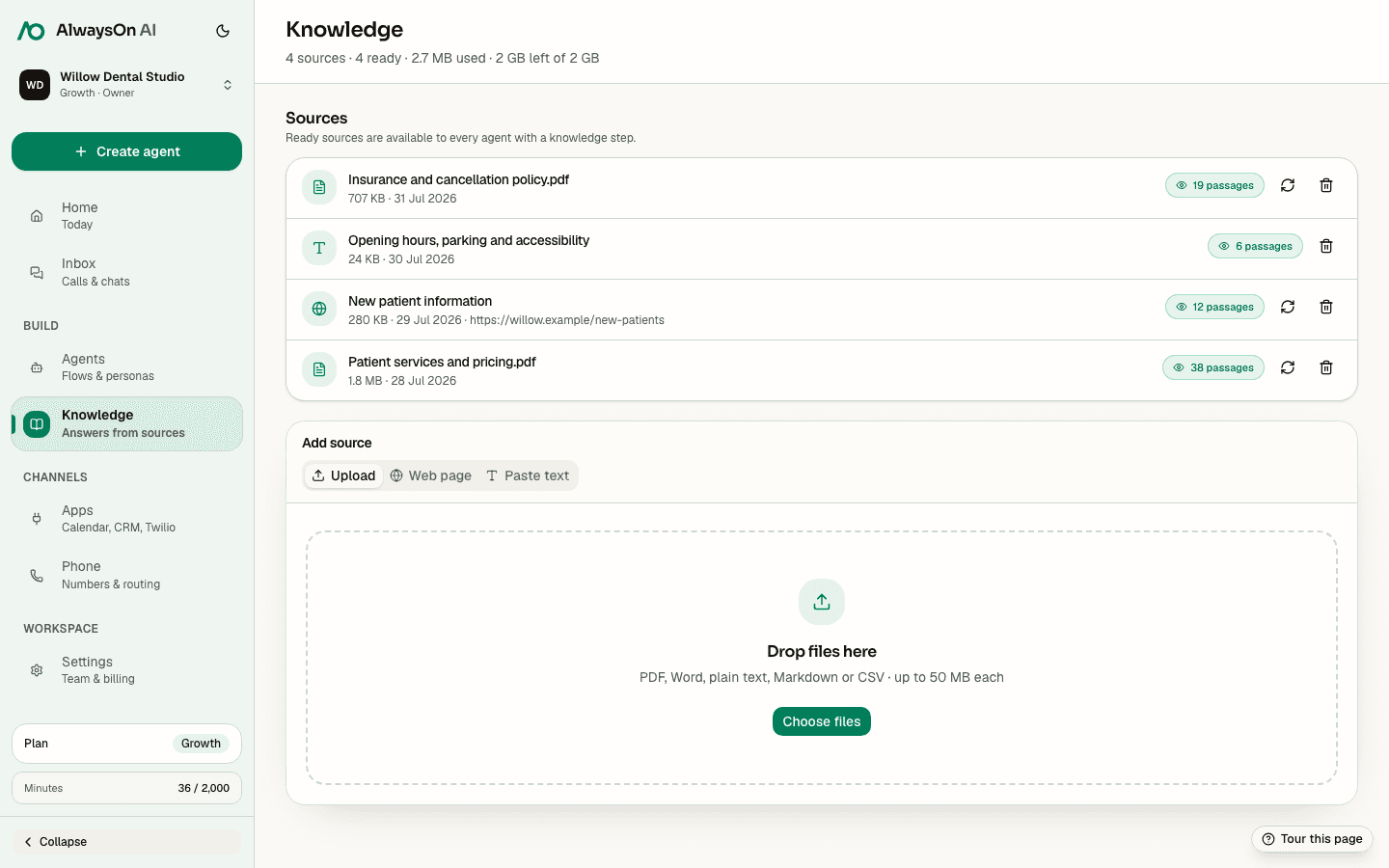
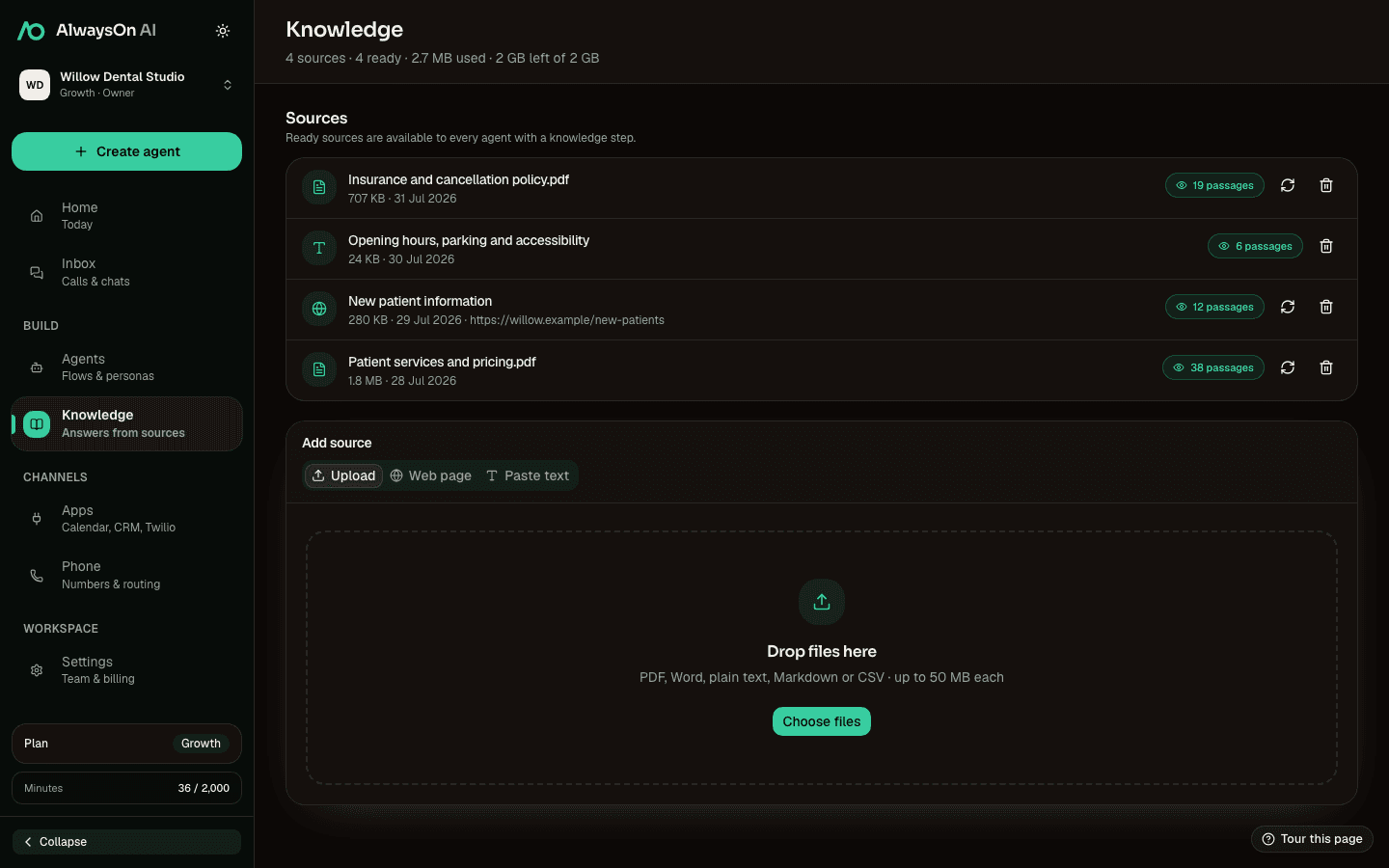
Give the agent the material it is allowed to use.
Add files, web pages, or text, then connect those sources to the right knowledge step.
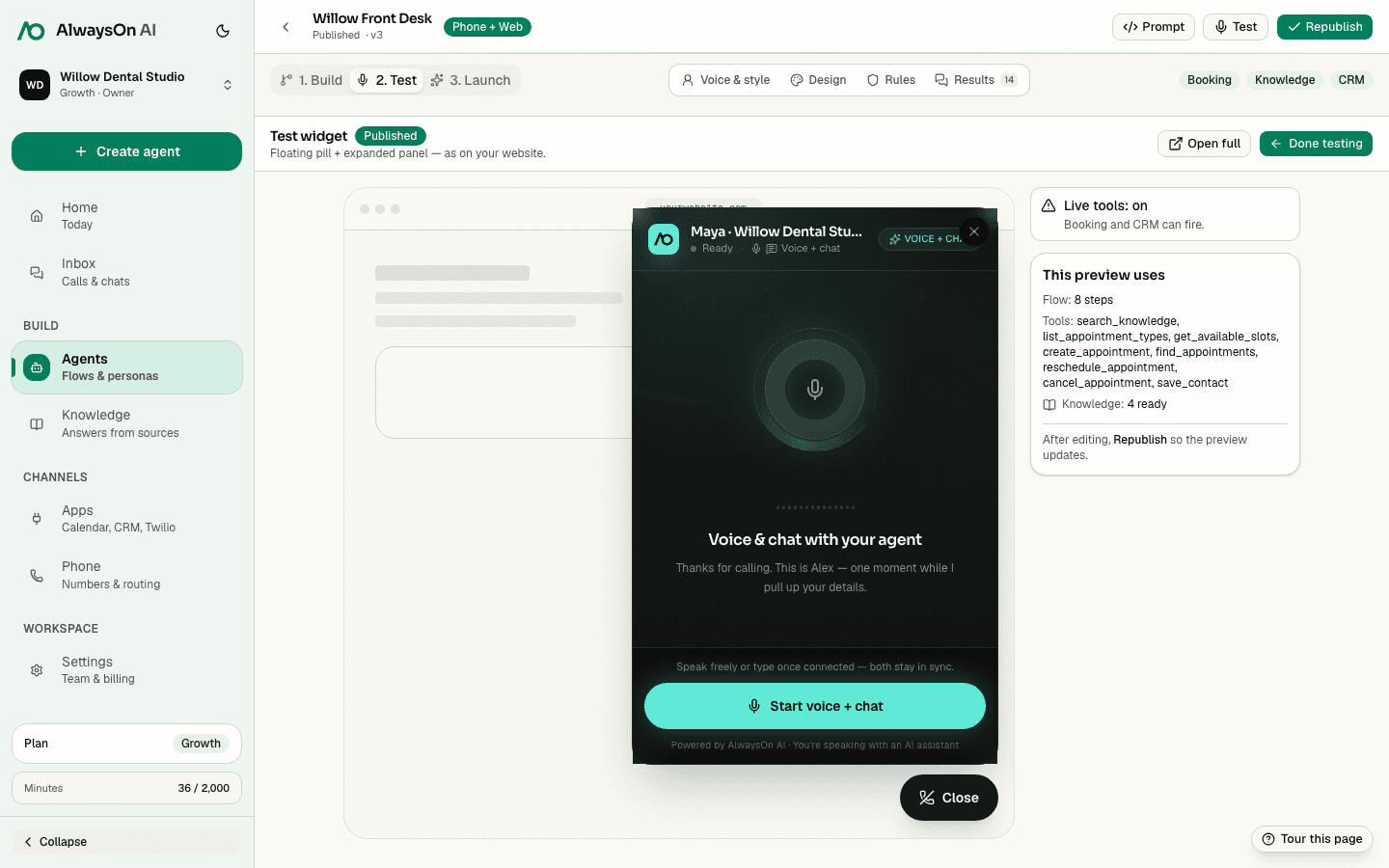
- 4Test
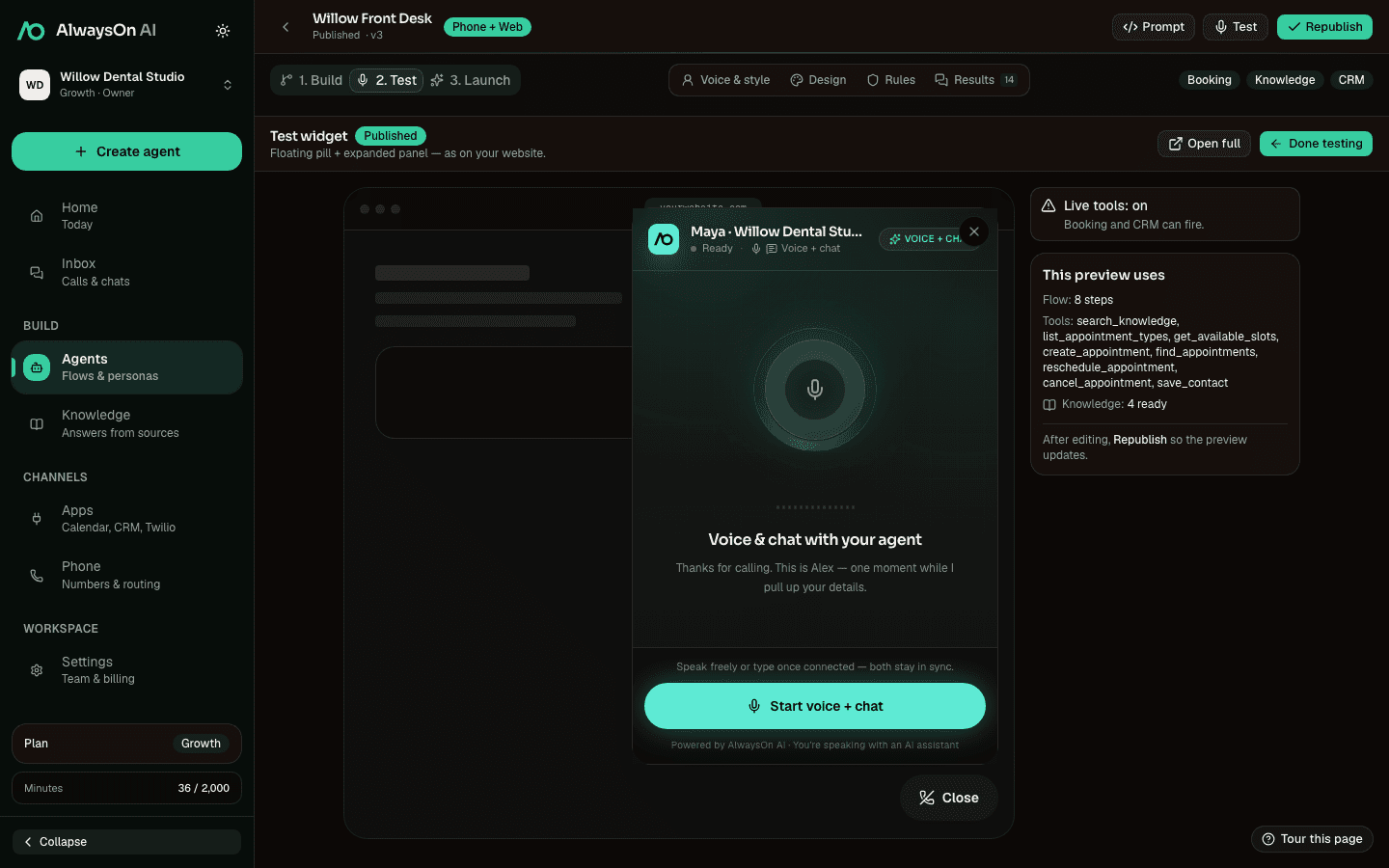
Try the real widget before anyone else does.
See the tools the flow will use, spot missing connections, and test the conversation before publishing.
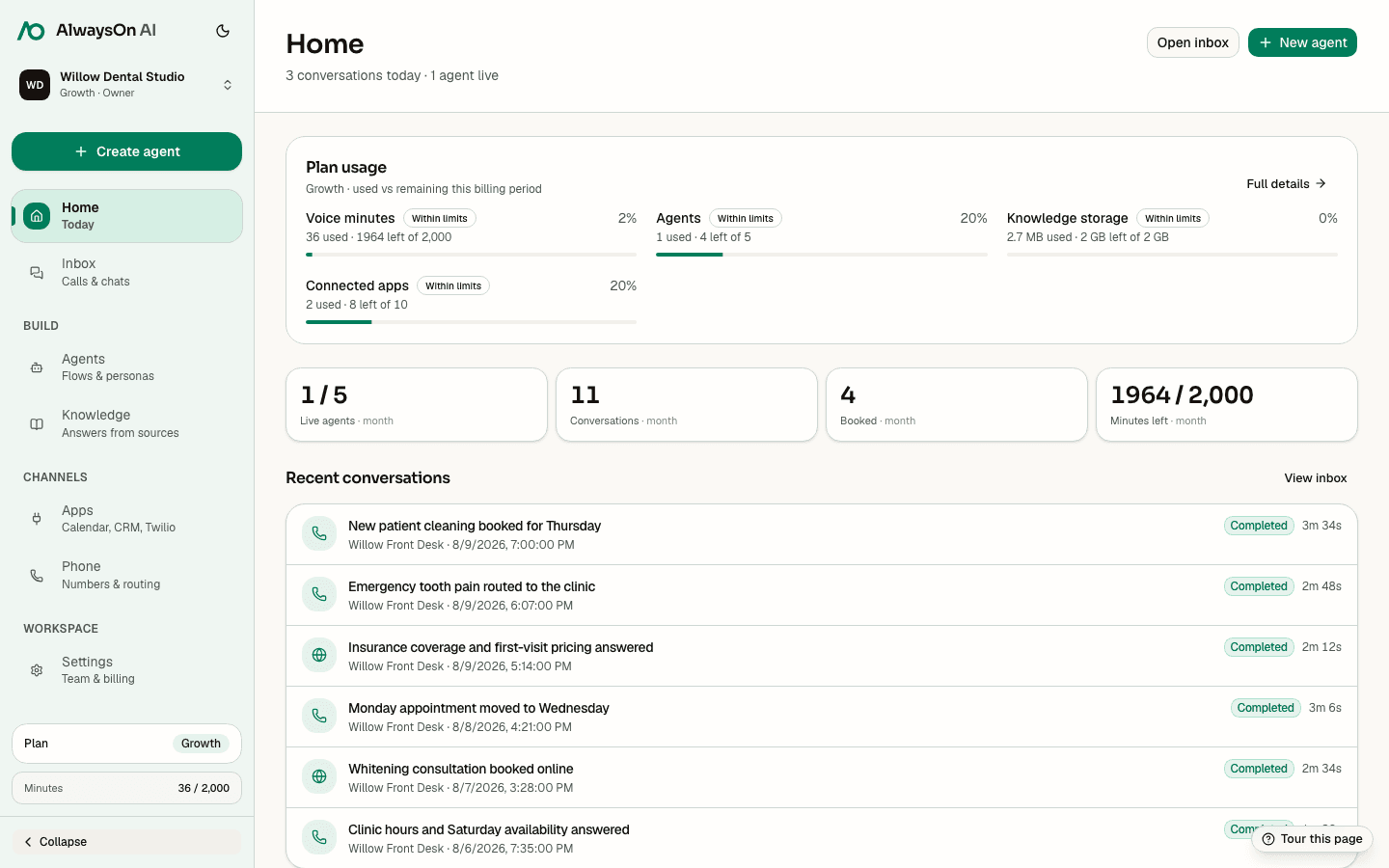
- 5Launch
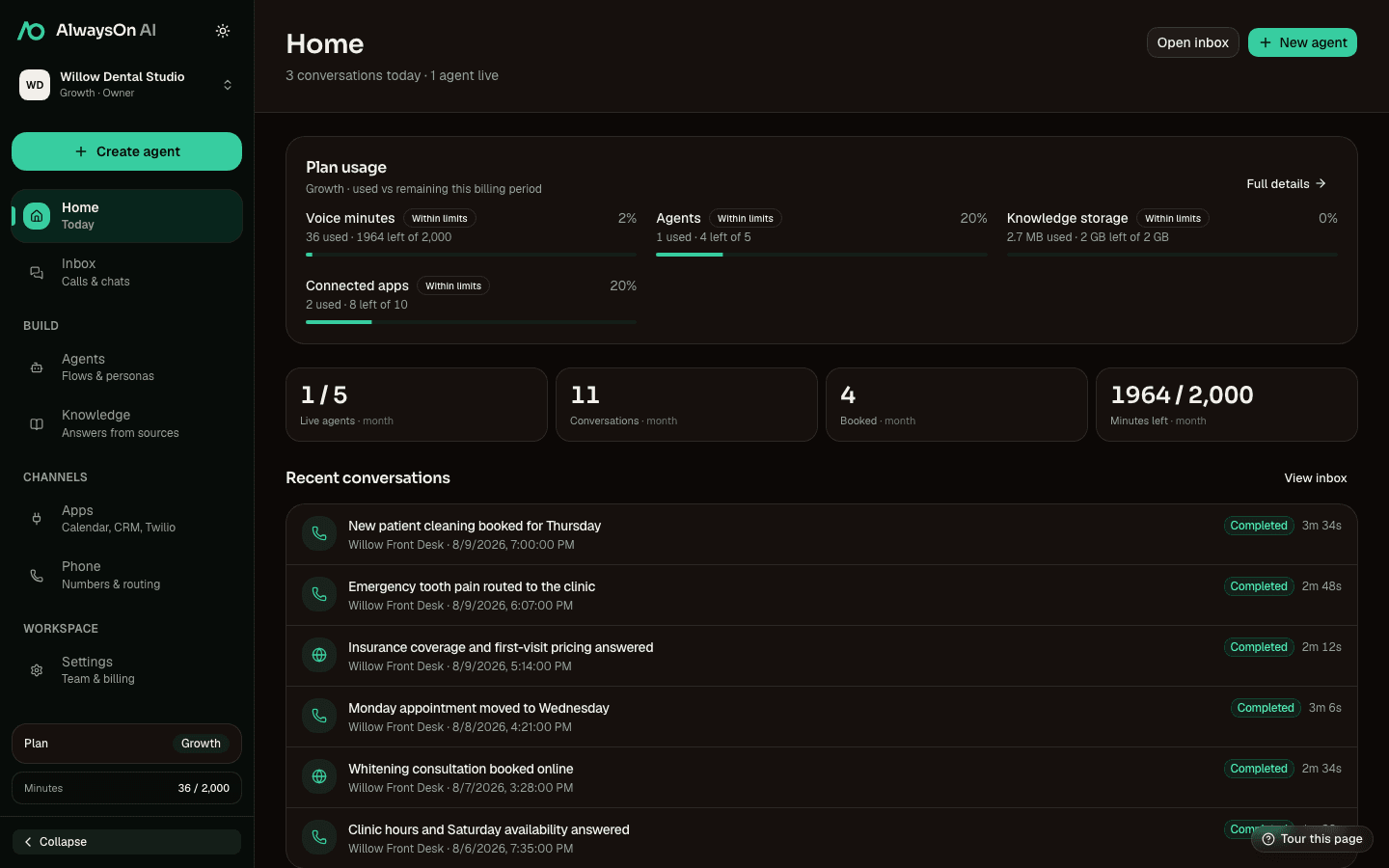
See what is live and what it is getting done.
Track active agents, conversations, booked appointments, usage, and recent outcomes from the workspace home.
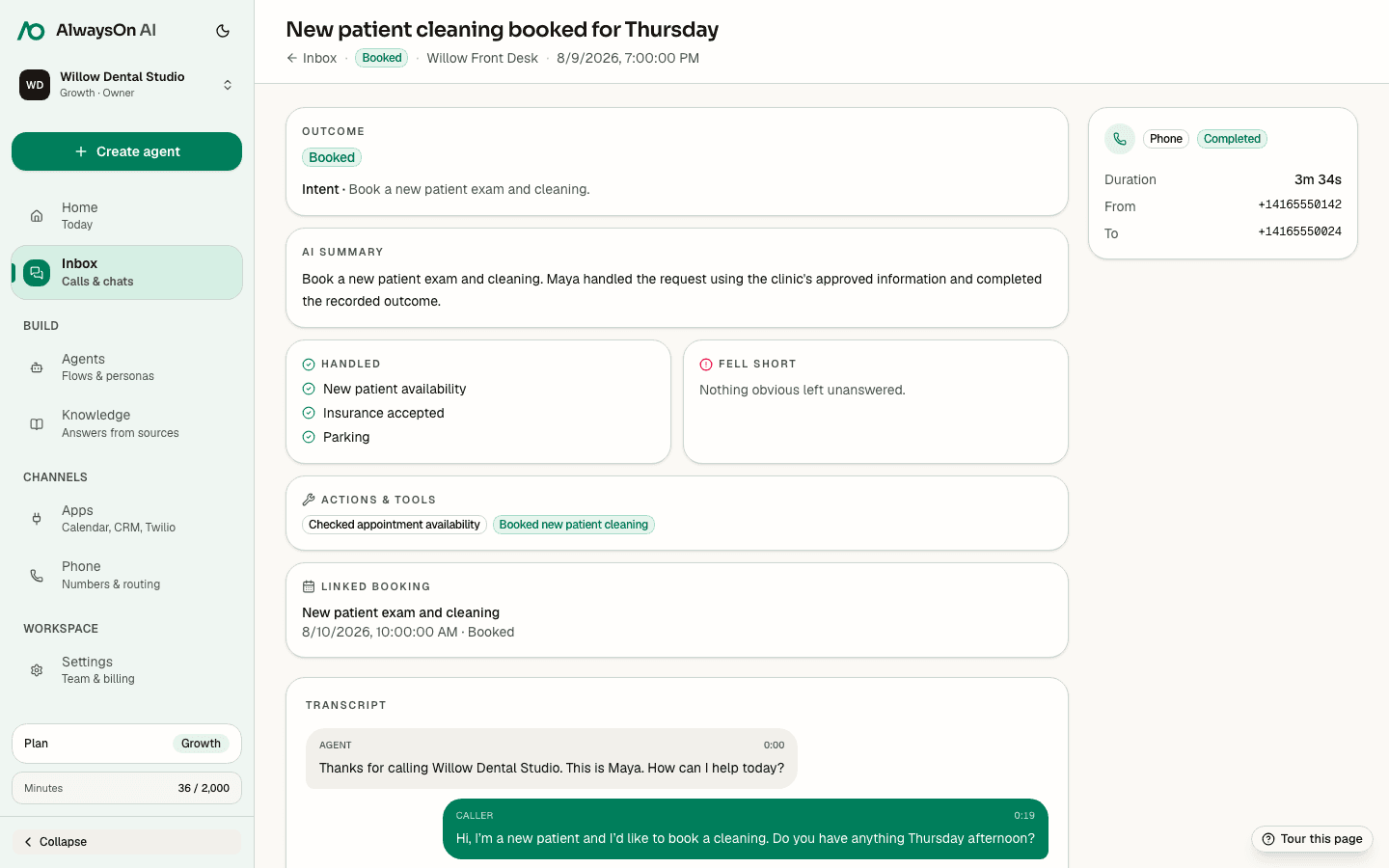
- 6Review
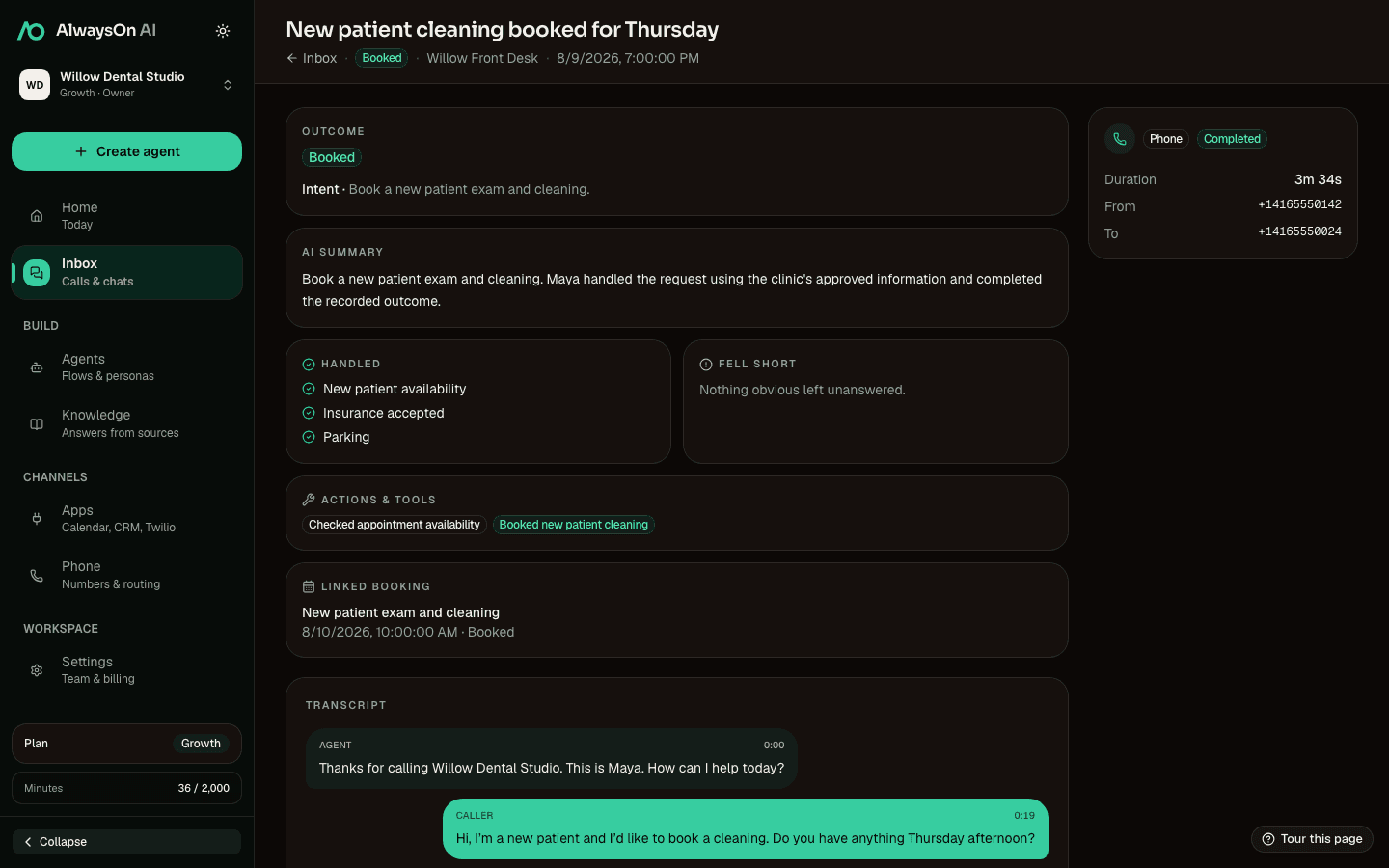
Review the outcome, not just the transcript.
Open a completed conversation for the caller’s intent, answered questions, actions taken, booked appointment, and full transcript.
A workflow you can read out loud. Nothing hidden in one giant prompt.
You decide the question, the source, the tool, and the exit. Every step on the canvas is one of these.
Ask and branch
Collect a name, a reason, a time. Each question is a step you can read, and each answer can take a different path.
Answer
Quote only the files, pages, or text you attach to that step.
Book
Check live availability and take the actions that scheduler allows.
Cal.comChecking live availability…Act
Save a contact, send an SMS, or run a connected action.
HubSpotSave contactQueuedTwilioSend SMSQueuedSlackNotify teamQueuedHand off
Transfer the caller, or leave a structured message, when a person needs to take over.
Transferring to the front desk
“Emergency, tooth pain since last night”
Keep
Transcript, channel, duration and the outcome the flow recorded.
The widget on your site. The real one, not a mock-up.
Scroll through what a visitor sees. The panel below is the same component the embed renders, running in demo mode.
- Install
One script tag. The pill appears.
Paste the embed snippet from the Launch tab. The launcher takes your label, colours and side of the page.
- Talk or type
The exact panel your visitors get.
Voice and chat in one panel, the same flow and knowledge as your phone line. It says it is an AI before it starts.
- Get it done
Booked before they leave the page.
The booking lands in your connected calendar and the conversation lands in your inbox with its outcome.
Try the real one: the “Talk to us” pill on this page.
Family dentistry · Leeds
Gentle care, open late on Thursdays.
New patients welcome. Cleanings, check-ups and emergency appointments.
Book a visitCheck-ups
Hygiene
Emergencies
Embed snippet
<script src="https://hiify.ai/embed.js"data-agent="807259b2-…" data-label="Talk to us"
data-position="right" async></script>
Every call answered. On the number you already have.
Your number, your Twilio bill
Inbound calls only. You bring the account and the number; Twilio bills you for the line.
One flow for web and phone
Pick web, phone, or both when you create the agent. Same knowledge, same inbox.
WhatsApp and Messenger too
Chats run through your own connected WhatsApp Business number and Facebook Page.
Phone publishing needs a connected Twilio number and a configured voice runtime.
+1 416 555 0142
→ Willow main line · your Twilio number
- channels, one inbox
- 0
channels, one inbox
- things a step can do
- 0
things a step can do
- native app connections
- 0
native app connections
- knowledge source types
- 0
knowledge source types
The call can book, write, or hand off. In your tools.
Connect an app you already use, then put its supported action on a step. What that action can do depends on the provider.
- Scheduling
- Check live availability, offer times, and complete the actions each provider supports. Booking, changes, and cancellations are shown honestly per connection.
- CRM
- Create or update a contact with the details gathered in the conversation, with the transcript and outcome ready for the next person.
- Specialist systems
- Practice and clinic schedulers connect natively. Table reservations (OpenTable, Resy, Eat App, SevenRooms) are coming soon.
TwilioPhoneGoogle CalendarSchedulingCal.comSchedulingAcuitySchedulingClinikoClinic schedulingTopmateSchedulingHubSpotCRMSalesforceCRMPipedriveCRMSlackActionSetmoreSchedulingSimplyBook.meSchedulingAlso live: Zoho Bookings, HubSpot Meetings, Microsoft Bookings, Telegram, Discord, Trello, Resend, Stripe, WhatsApp Cloud.
Same product. Different questions.
14 days to hear it take a real call. No card.
- 100 voice minutes
- 5 agents
- 1 connected app
- Web widget testing
A phone test needs your own Twilio number, billed by Twilio.